Record Windows UI tests. Play them everywhere.
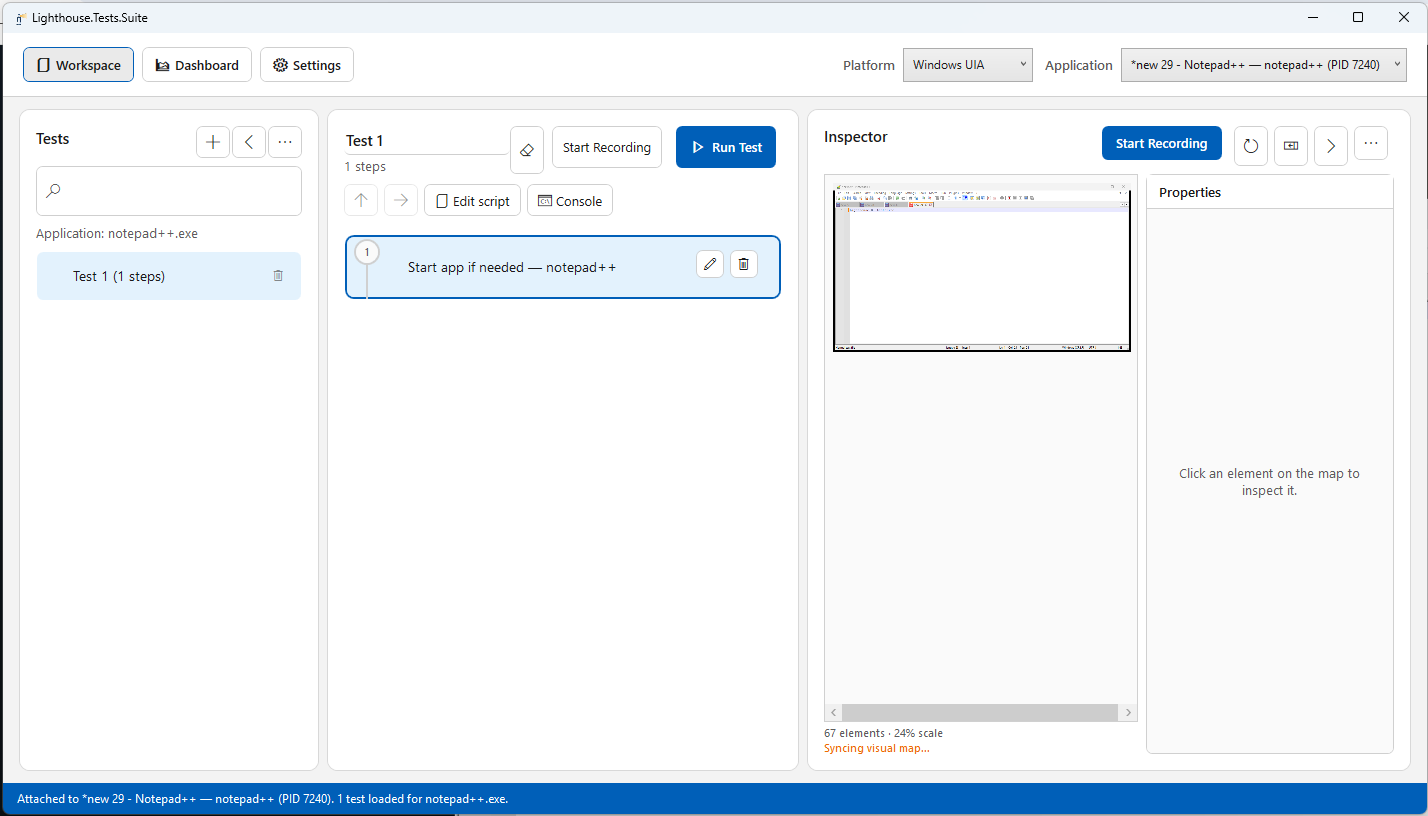
Visual recorder for Windows (and Android): attach, click the inspector map, replay.
Prefer shared AutomationIds for Flutter and .NET MAUI —
write once, test on both platforms.
Credo
Write the test once. Play it everywhere.
One suite should cover every platform you ship — not a copy per OS.
Give controls a shared AutomationId, record the flow, switch platform, and run again.
Prefer ids over bounds and class names. Use Import / Check portability in the app when you move a suite between Windows and Android. iOS is not available yet — same credo, later platform.
- Flutter Expose the same automation id on desktop and mobile via Semantics / labels.
-
.NET MAUI
Set
AutomationIdonce — Windows UIA and Android Appium both resolve it. - Windows + Android now Inspect, record, and play in one desktop tool. Switch platform in the header and run.
- iOS Not available in this beta. Planned so the same AutomationId suite can cover Apple targets too.
Demo
See attach → record → play
Short beta clips — Windows Calculator and Android Clock — recorded in Lighthouse. Same tool, both platforms.
Status
Still beta
The product works for real attach → record → play workflows, but it is not finished. Features move, SmartScreen may warn (unsigned Setup), and we want feedback on what breaks.
- Free 30-day device trial on first Setup install; renewal key after expiry
- Expect rough edges and occasional UX changes
- Windows + Android today · iOS not available yet
- Questions, bugs, or a renewal key → Contact
Explore
Everything you need to evaluate the beta
-
01
Attach
Pick a Windows process — or connect an Android emulator — and open the visual map.
-
02
Record
Click elements that carry AutomationId — or edit the same flow as script (Ctrl+E). Add asserts, text checks, waits, and screenshot compares as you go.
-
03
Play
Run on the same platform — or switch to another when ids are portable — then check the dashboard.
Beta · Windows installer
Install once. Update from Settings.
After Setup, a free 30-day trial starts automatically. Use Settings → Check for updates when a public update feed is configured. Need a renewal key later? Contact us.
- Windows 10 / 11 (x64) · no Visual Studio required
- May need .NET 10 Desktop Runtime if not already installed
- Unsigned beta: SmartScreen → More info → Run anyway
- Free 30-day device trial on first install